Oracle Source Connector
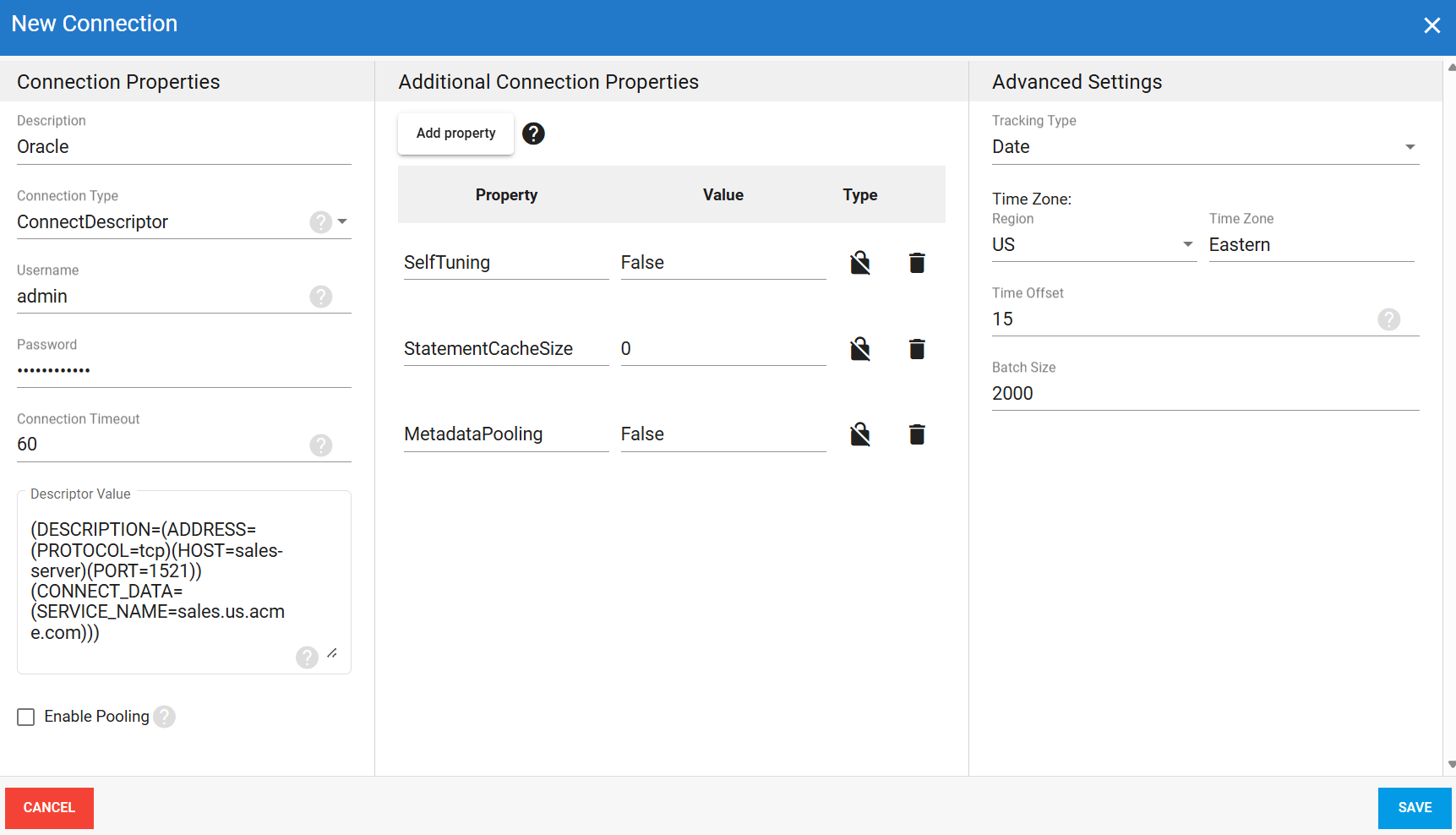
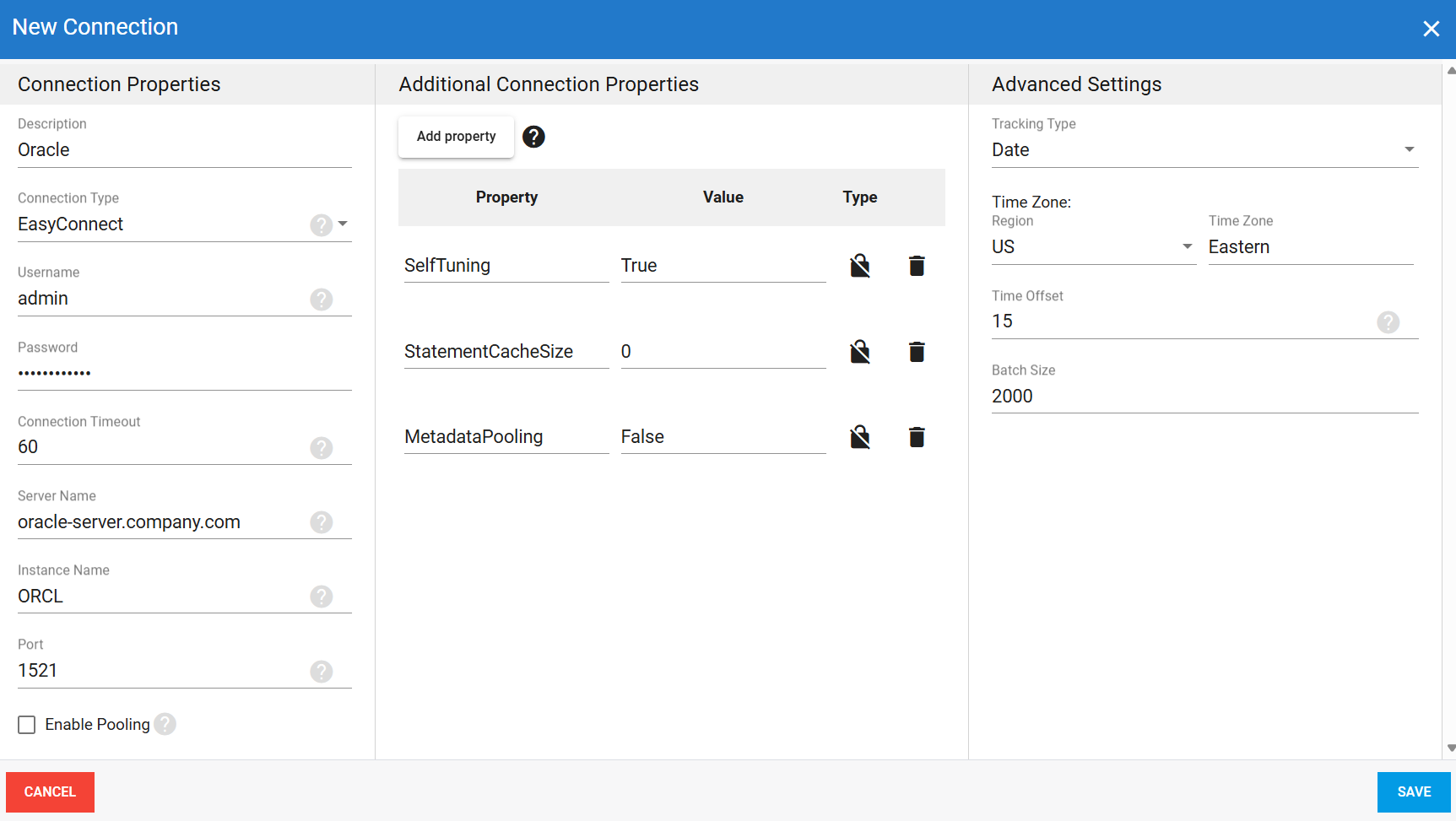
The Oracle source connector lets DataSync retrieve data from an Oracle database and load it into your data warehouse. There are two connection method for the connection: Easy Connect and Connect Descriptor. Once your source connection is ready, configure your destination connection to finish the setup.
Create the source connection in DataSync
- Log in to DataSync.
- From the welcome screen, select Connections.
- Next to Source Connections, click New.
- Select Oracle.
- Enter all required connection properties.
- (Optional) In the Additional Connection Properties panel, click Add property and enter any extra parameters you need.
- Configure the advanced settings to match your environment, including Tracking Type.
- Click Save.
Connection properties
| Property | What to enter |
|---|---|
| Description | Unique name for the connection. Example: Oracle. |
| Connection Type | Connection method for authenticating to Oracle.
|
| Username | Login account for accessing the database. Example: admin. |
| Password | Password for this account. |
| Connection Timeout | Time in seconds to wait for a connection before the attempt is cancelled. |
| Server Name | EasyConnect only Server name or IP address hosting the Oracle database. Example: oracle-server.company.com. |
| Instance Name | EasyConnect onlyDatabase instance name or service alias for the connection. Example: ORCL. |
| Port | EasyConnect only Port number for the Oracle database connection. Default: 1521. |
| Descriptor Value | ConnectDescriptor only Full connect descriptor string for the connection. Example:(DESCRIPTION=(ADDRESS=(PROTOCOL=tcp)(HOST=sales-server)(PORT=1521))(CONNECT_DATA=(SERVICE_NAME=sales.us.acme.com))). |
| Enable Pooling | Enables connection pooling, which keeps a set of database connections open and reuses them across extractions instead of opening a new one each time. This reduces overhead and improves performance when multiple extractions run at the same time. |
| Min Pool Size | Minimum number of connections kept open in the pool at all times. Default: 1. |
| Max Pool Size | Maximum number of connections allowed in the pool at the same time. Default: 100. |
| Decr Pool Size | Number of idle connections closed when the pool has more connections than needed. Default: 5. |
| Incr Pool Size | Number of new connections opened when all existing pool connections are in use. Default: 5. |
Additional connection properties
Use this panel to enter connection string properties not available in the Connection Properties panel. For sensitive values such as passwords, set the type to Encrypted. The value is hidden in the interface and stored encrypted in the back end.
| Property | What to enter |
|---|---|
SelfTuning | Controls Oracle's self-tuning feature. When true, Oracle automatically adjusts connection settings for optimal performance. When false, settings are managed manually. |
StatementCacheSize | Number of SQL statements cached for reuse across requests. Set to 0 to disable statement caching. |
MetadataPooling | Controls whether metadata is shared across connections in the pool. When true, metadata is cached and shared. When false, it is retrieved individually per connection. |
Advanced settings
These settings control how the connector tracks data changes, handles time and regional configuration, and processes records during extraction. Configure them to match your Oracle environment so that results stay accurate and consistent.
| Setting | What to select |
|---|---|
| Tracking Type | Method for tracking data changes: None or Date. |
| Region | Region setting for the connector, if required by your setup. |
| Time Zone | Time zone matching your Oracle environment. |
| Time Offset | Refresh offset in seconds to compensate for timing issues in record selection. Minimum 0, maximum 3600. |
| Batch Size | Number of records processed per batch during extraction. Larger batches can improve performance but use more memory. Default is 2000, maximum is 10000. Adjust based on your network speed and disk performance. The default works well in most cases. |
Easy Connect example setup
Connect Descriptor example setup