OData Source Connector
The OData source connector lets DataSync retrieve data from any OData-compliant service and load it into your data warehouse. DataSync supports two authentication modes: Basic and OAuth 2.0.
Once your source connection is ready, configure your destination connection to finish the setup.
Create the source connection in DataSync
- Log in to DataSync.
- From the welcome screen, select Connections.
- Next to Source Connections, click New.
- Select OData.
- Enter all required connection properties.
- (Optional) In the Additional Connection Properties panel, click Add property and enter any extra parameters you need.
- Configure the advanced settings to match your environment, including Tracking Type.
- Click Save.
Connection properties
| Property | What to enter |
|---|---|
| Description | Unique name for the connection. Example: OData. |
| URL | Address of the OData endpoint. Example: https://services.odata.org/TripPinRESTierService. |
| Authentication Mode | Basic or OAuth2. |
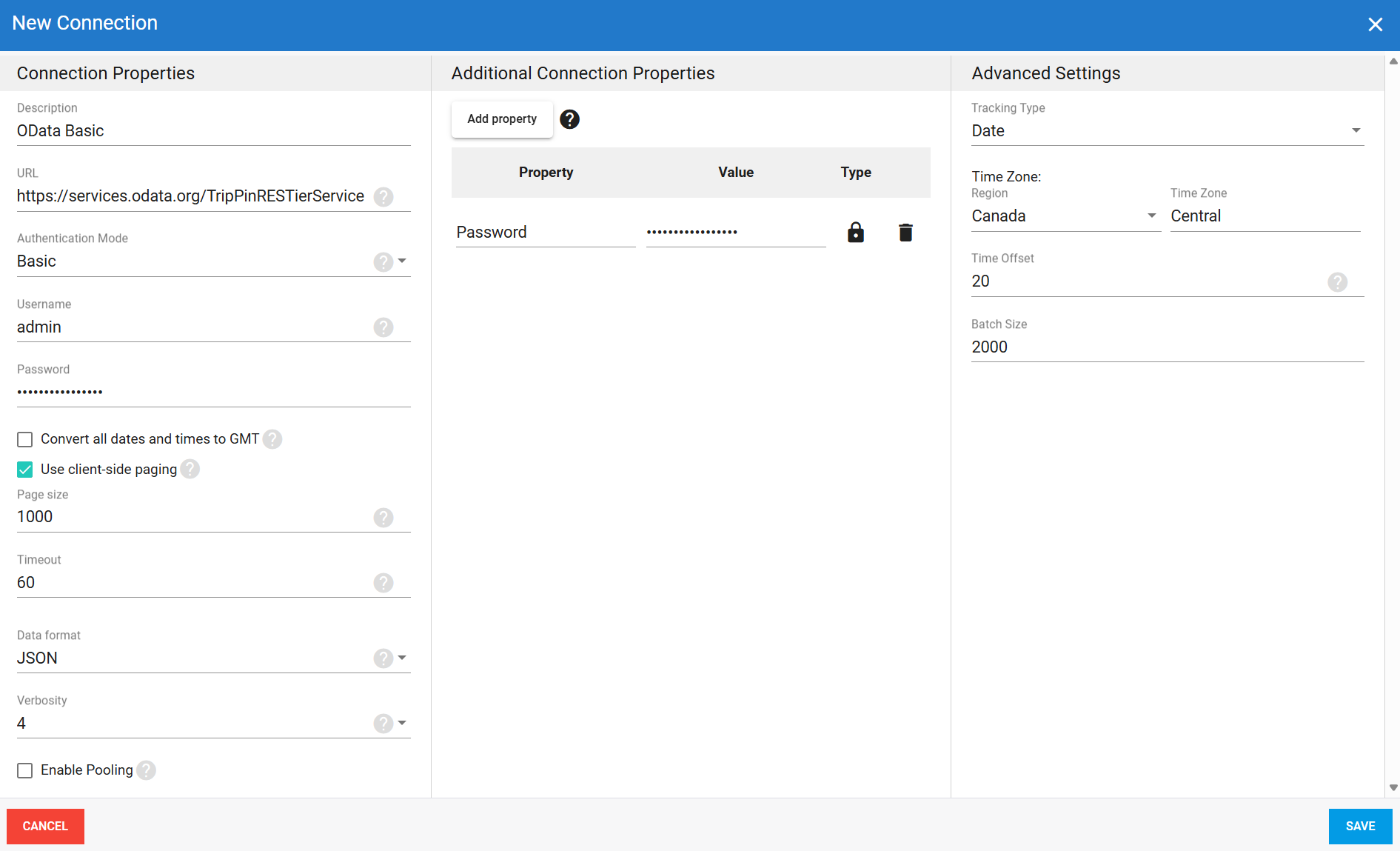
| Username | Basic only Login account for accessing the OData service. Example: admin. |
| Password | Basic only Password for this account. |
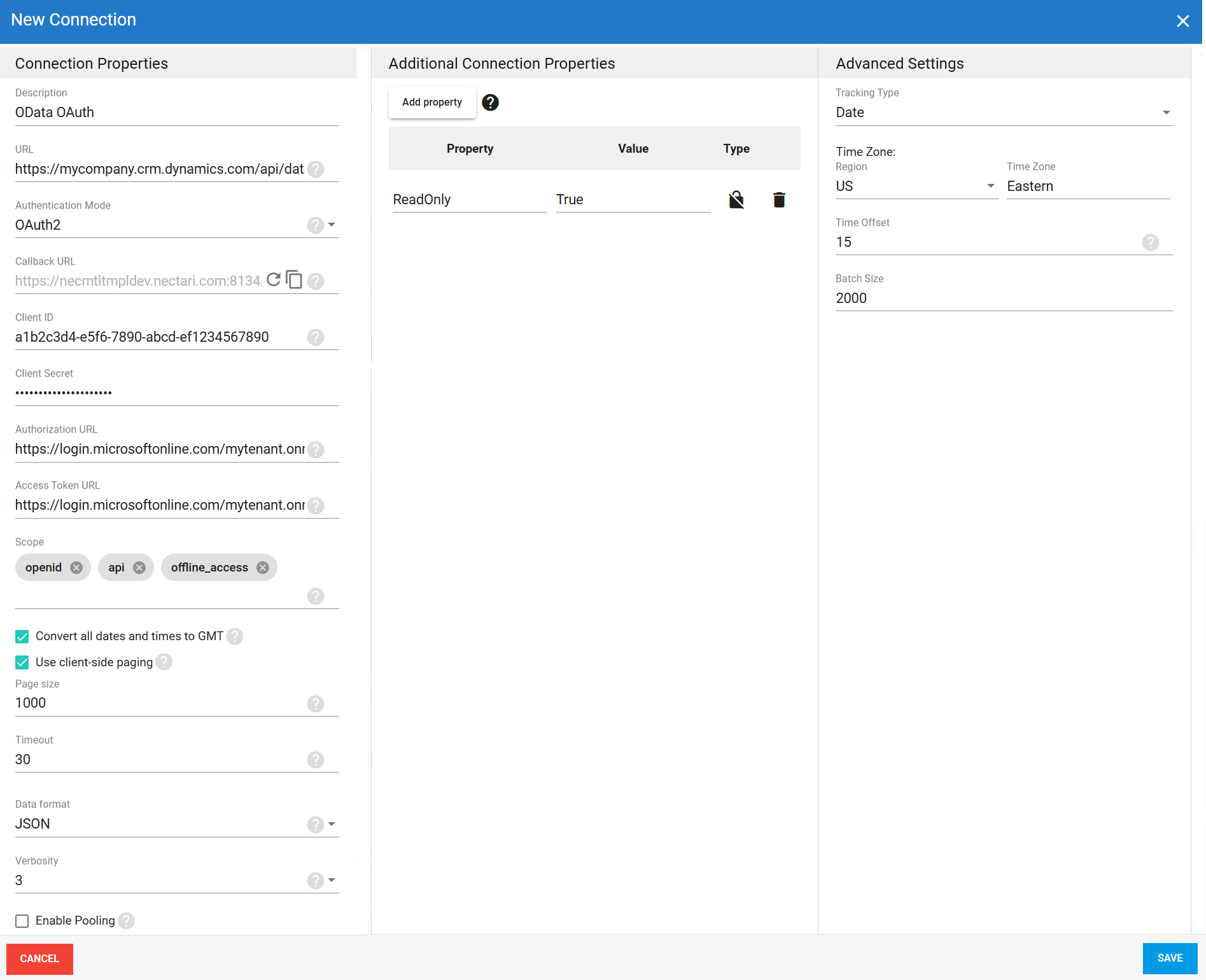
| Callback URL | OAuth only Redirect URL automatically generated by DataSync. Must be added to the OAuth application in your identity provider. |
| Client ID | OAuth only Identifier assigned to the OAuth application during registration. |
| Client Secret | OAuth only Secret generated for the OAuth application. |
| Authorization URL | OAuth only URL used to obtain the authorization code. Provided by your identity provider. |
| Access Token URL | OAuth only URL used to exchange the authorization code for an access token. Provided by your identity provider. |
| Scope | OAuth only Permissions requested from the OData service. Default: openid, api, offline_access. |
| Convert all dates and times to GMT | Converts all DateTime values to GMT. Recommended when your OData service runs in a different time zone and you need consistent timestamps across your data. |
| Use client-side paging | Enables client-side paging for large datasets. When enabled, data is retrieved in pages rather than all at once. |
| Page Size | Maximum number of results returned per page when client-side paging is enabled. Larger values return more rows per page but may increase timeout risk. |
| Timeout | Time in seconds to wait before a connection attempt or query execution times out. |
| Data format | Format for retrieved data: ATOM or JSON. |
| Verbosity | Controls how much detail the connector writes to the log. Each level includes everything from the level below it, plus additional detail.
|
| Enable Pooling | Enables connection pooling, which keeps a set of database connections open and reuses them across extractions instead of opening a new connection each time. This reduces overhead and improves performance when multiple extractions run at the same time. |
| Pool idle timeout | Time in seconds a connection can stay idle before returning to the pool. |
| Max Pool Size | Maximum number of connections allowed in the pool at the same time. |
| Pool wait time | Time in seconds DataSync waits for an available connection before throwing an error. |
Additional connection properties
Use this panel to enter connection string properties not available in the Connection Properties panel. For sensitive values such as passwords, set the type to Encrypted. The value is hidden in the interface and stored encrypted in the back end.
| Property | What to enter |
|---|---|
| Property | Connection string property that defines the action or behavior. Example: ReadOnly |
| Value | Value for the property. Example: True |
| Type | Visibility settings: Visible or Encrypted. |
Advanced settings
These settings control how the connector tracks data changes, handles time and regional configuration, and processes records during extraction. Configure them to match your OData environment so that results stay accurate and consistent.
| Setting | What to select |
|---|---|
| Tracking Type | Method for tracking data changes: None or Date. |
| Region | Region setting for the connector, if required by your setup. |
| Time Zone | Time zone matching your OData environment. |
| Time Offset | Refresh offset in seconds to compensate for timing issues in record selection. Minimum 0, maximum 3600. |
| Batch Size | Number of records processed per batch during extraction. Larger batches can improve performance but use more memory. Default is 2000, maximum is 10000. Adjust based on your network speed and disk performance. The default works well in most cases. |
Basic authentication example setup
OAuth authentication example setup