Accounts Receivable
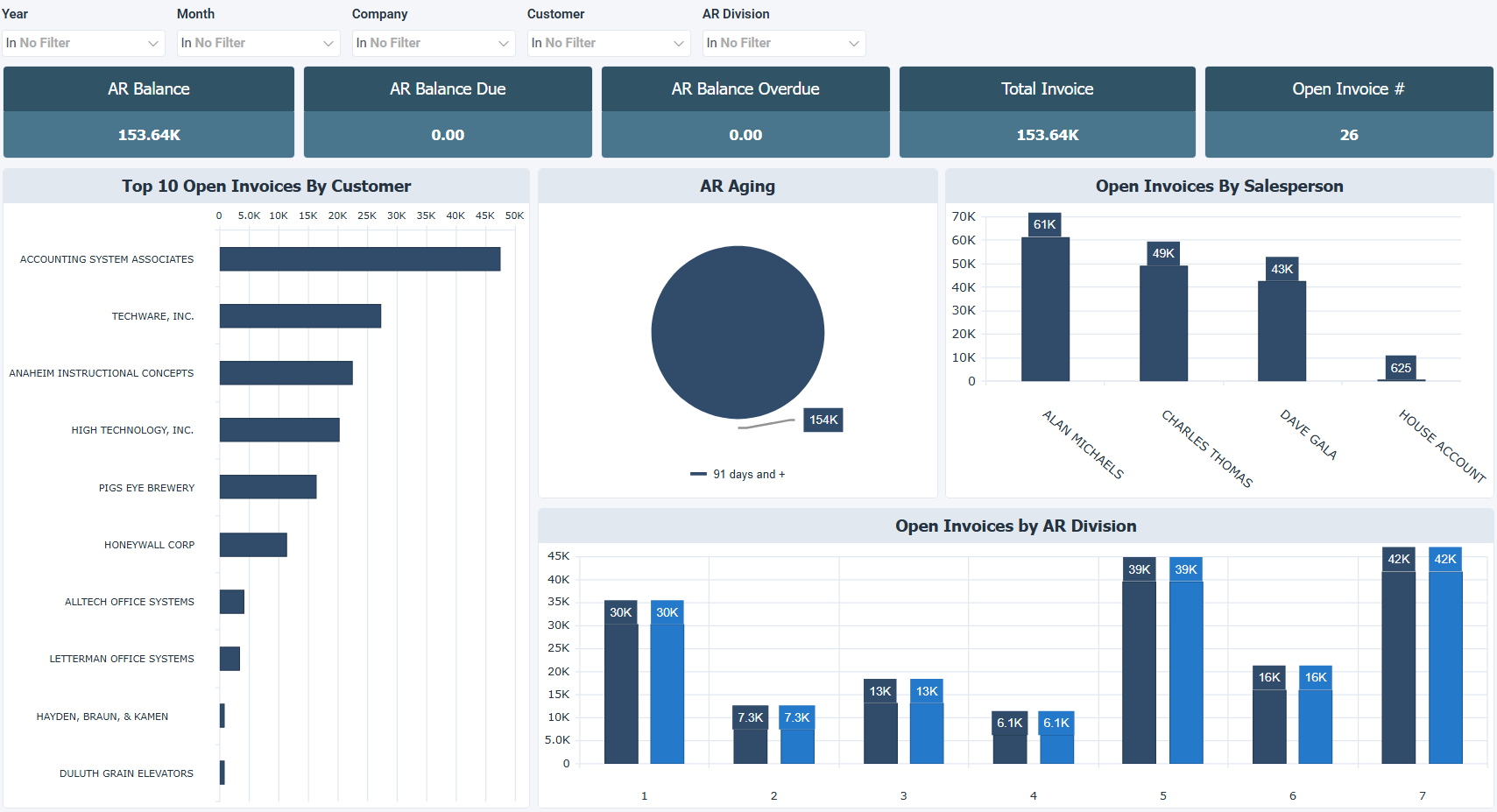
The Accounts Receivable dashboard for Sage 100 North America tracks open invoices, overdue balances, and customer payment patterns. It shows what's owed, by whom, and how long invoices have been outstanding. Use this dashboard to monitor receivables, follow up on overdue accounts, and review how open invoices are distributed across customers, salespeople, and time periods.
The dashboard is organized around two angles: distribution and concentration. The top row shows how open invoices are spread across salespeople, companies, and months, while the bottom row highlights the customers with the highest unpaid balances and the longest average days overdue.
How to use the accounts receivable dashboard
- Monitor open invoices across customers and salespeople to stay on top of outstanding receivables.
- Identify overdue accounts using average days overdue to prioritize collection follow ups.
- Review open invoices by month to spot months where receivables are building up.
- Compare open invoices by company to understand how balances are distributed across entities.
Filters
Use the filtering panel at the top of the Accounts Receivable dashboard to control which data is shown. The filters apply to all views and ensure the dashboard reflects the selections you choose.
Key performance indicators (KPIs)
The key performance indicators (KPIs) are displayed at the top of the dashboard. They show outstanding and overdue balances owed by customers, and update based on the filters you apply.
| KPI | What it measures |
|---|---|
| AR Balance | Total outstanding balance owed by customers. |
| AR Balance Due | Total amount currently due from customers. |
| AR Balance Overdue | Total overdue amount owed by customers. |
| Total Invoice | Total value of all customer invoices. |
| Open Invoice # | Number of open customer invoices. |
Visual components
| View name | Type of view | What it shows |
|---|---|---|
| Open Invoices By Salesperson | Vertical Bar | Shows open invoice count by salesperson, comparing receivables workload across the team. |
| Open Invoices By Company | Pie | Shows open invoice balance split by company as a proportion. |
| Open Invoices By Month | Vertical Bar | Shows open invoices by month to reveal when outstanding balances originated or accumulated. |
| Top 10 Open Invoices By Customer | Horizontal Bar | Ranks the 10 customers with the highest unpaid balances. |
| Top 10 Customers by Average Days Overdue | Horizontal Bar | Ranks the 10 customers with the longest average days overdue, showing who is consistently paying late. |