Accounts Payable
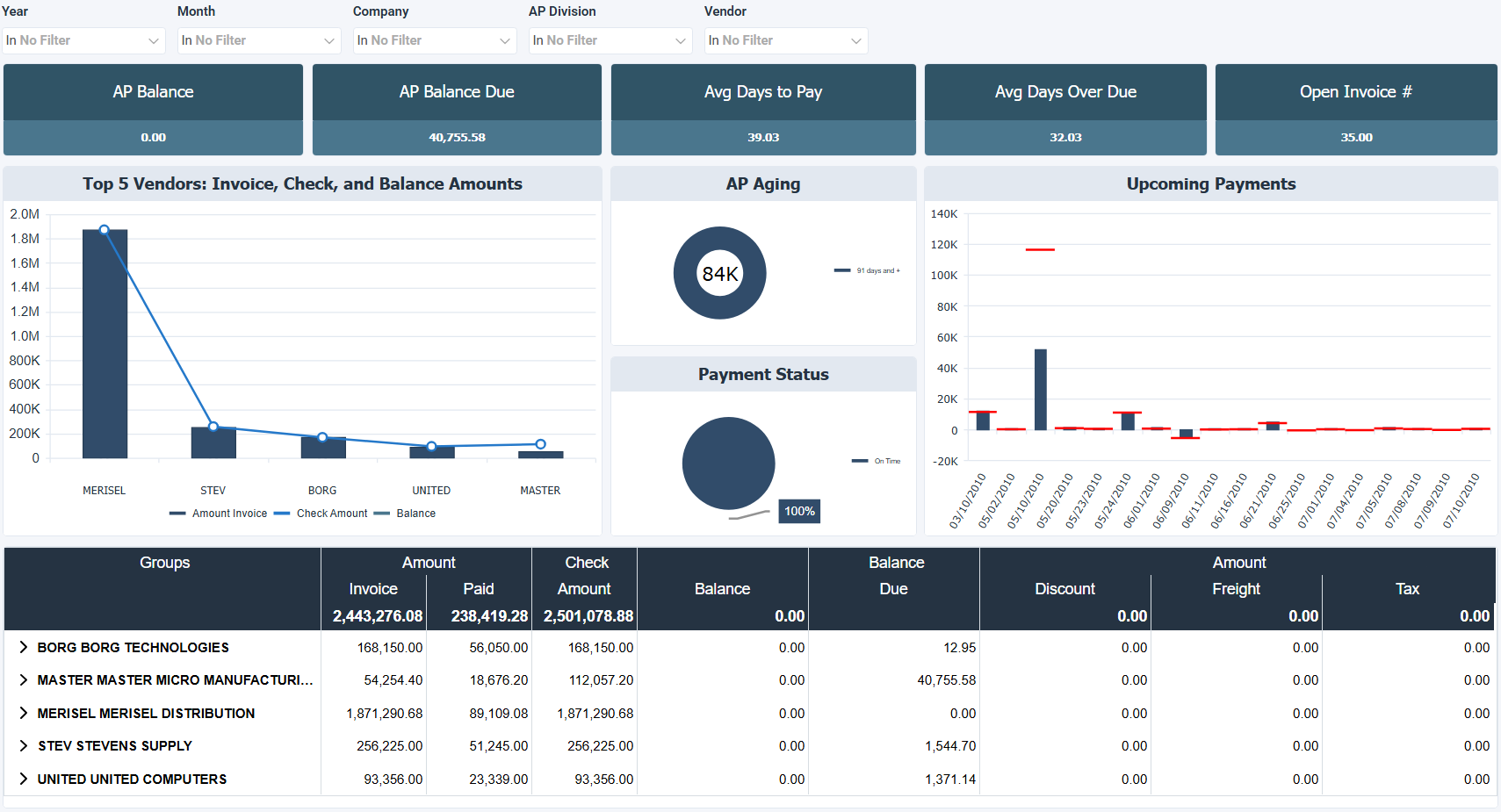
The Accounts Payable dashboard for Sage 100 North America tracks outstanding vendor balances, payment activity, and invoice details. It combines charts and a detailed worksheet to show who you owe, how much, and how payments are trending over time. Use this dashboard to monitor liabilities, review payment patterns, and keep track of vendor level costs like freight, tax, and discounts.
The pie and radar charts focus on your top vendors by balance due and amount paid, showing where the largest amounts are concentrated. The spline chart adds a time dimension, showing how invoice balances move month over month. The worksheet provides a full vendor by vendor breakdown including discounts, freight, tax, and remaining balance.
How to use the accounts payable dashboard
- Monitor outstanding balances across vendors to stay on top of what's owed and what's been paid.
- Identify top vendors by balance due to prioritize payments and manage cash flow.
- Review payment activity by city to compare invoice amounts and check amounts across locations.
- Track invoice level details by vendor including discounts taken, freight, tax, and remaining balance.
Filters
Use the filtering panel at the top of the Accounts Payable dashboard to control which data is shown. The filters apply to all views and ensure the dashboard reflects the selections you choose.
Key performance indicators (KPIs)
The key performance indicators (KPIs) are displayed at the top of the dashboard. They show outstanding balances and payment timing across vendors, and update based on the filters you apply.
| KPI | What it measures |
|---|---|
| AP Balance | Total outstanding balance owed to vendors. |
| AP Balance Due | Total amount currently due to vendors. |
| Avg Days to Pay | Average number of days taken to pay vendor invoices. |
| Avg Days Over Due | Average number of days vendor invoices are overdue. |
| Open Invoice # | Number of open vendor invoices. |
Visual components
| View name | Type of view | What it shows |
|---|---|---|
| Monthly Invoice Balance by Vendor City | Spline | Shows invoice amounts and balance due by month, with vendor and city context. |
| Top 5 Balance Due Vendor | Pie | Shows the five vendors with the highest balance due as a proportion of total. |
| Top 10 Amounts & Check Amounts by City | Stacked Bar | Compares invoice amount, balance due, and check amount by city for the top 10 cities. |
| Top 5 Vendors by Amount Paid | Radar | Shows the five vendors with the highest paid amount for relative comparison. |
| Invoice Amount By Vendor | Worksheet | Lists vendor payment and balance details including invoice amount, paid amount, amount discount, freight, tax, and balance due. |