Purchase Orders
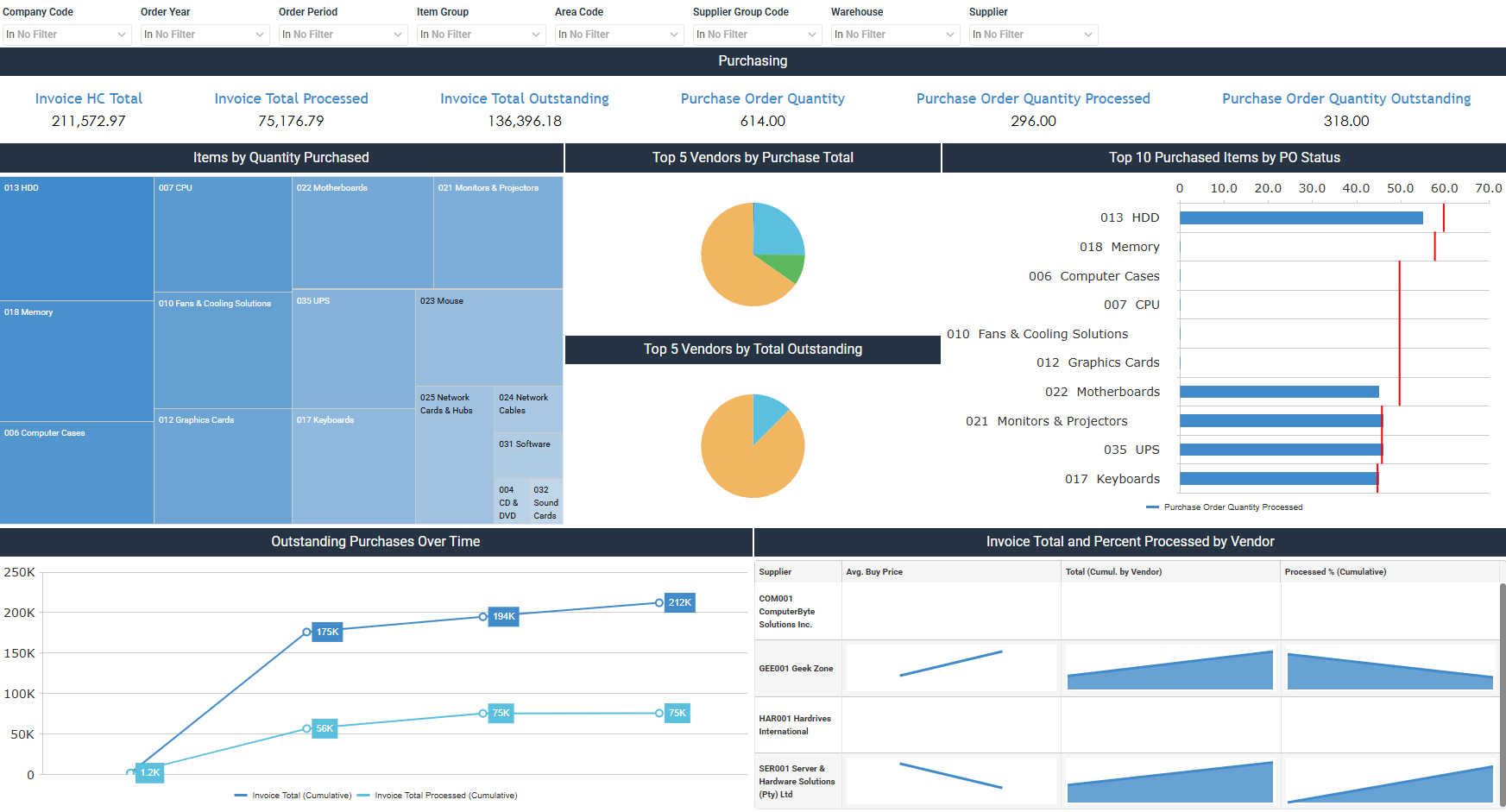
The Purchase Orders dashboard for Sage 200 Evolution monitors purchasing activity, vendor performance, and outstanding invoices. It includes purchase order and invoice totals, alongside the top items and vendors by quantity and value.
How to use the purchase orders dashboard
- Compare invoice and purchase order totals with what's outstanding and processed to see purchasing progress.
- Rank the top vendors by purchase total and by outstanding invoices.
- Find the most purchased item categories and how purchase order status varies across items.
- Follow outstanding and processed purchases over time, and the percent processed by vendor.
Filters
Use the filtering panel at the top of the Purchase Orders dashboard to control which data is shown. The filters apply to all views and ensure the dashboard reflects the selections you choose.
Company Code: multiple values
Order Year: multiple values
Order Period: multiple values
Item Group: multiple values
Area Code: multiple values
Supplier Group Code: multiple values
Warehouse: multiple values
Supplier: multiple values
Key performance indicators (KPIs)
The key performance indicators (KPIs) at the top of the dashboard show six invoice and purchase order measures, and update based on the filters you apply.
| KPI | What it measures |
|---|---|
| Invoice HC Total | Total value of purchase order invoices. |
| Invoice Total Processed | Value of purchase order invoices processed. |
| Invoice Total Outstanding | Value of purchase order invoices outstanding. |
| Purchase Order Quantity | Total quantity of items ordered. |
| Purchase Order Quantity Processed | Quantity of items processed. |
| Purchase Order Quantity Outstanding | Quantity of items outstanding and not yet processed. |
Visual components
| View name | Type of view | What it shows |
|---|---|---|
| Items by Quantity Purchased | Tree Map | Displays the most frequently purchased product categories. |
| Top 5 Vendors by Purchase Total | Pie | Ranks the top 5 vendors by total purchase orders. |
| Top 5 Vendors by Total Outstanding | Pie | Ranks the top 5 vendors by outstanding invoices. |
| Top 10 Purchased Items by PO Status | Horizontal Bullet | Compares purchase order quantities across products by purchase order status. |
| Outstanding Purchases Over Time | Line | Follows cumulative outstanding and processed purchases over time. |
| Invoice Total and Percent Processed by Vendor | Complex Sparkline | Displays total invoices and the percent processed by vendor. |