Authentication Warning During Installation
Troubleshooting
Problem
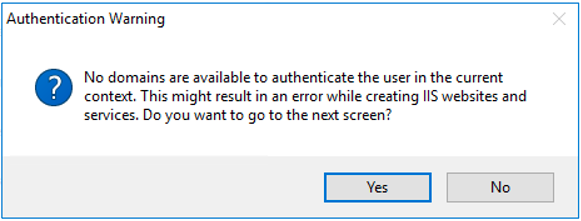
An authentication warning appears during installation, and the installer displays a full URL in the navigation bar.
Cause
The warning occurs when a specific user account is used to authenticate to a website or service. During installation, the system validates the provided user to check whether it can authenticate correctly.
Solution
Update the machine’s domain configuration:
- Search for View advanced system settings in Windows.
- Open the Computer Name tab.
- Select Change.
- Update the Domain field with the correct domain name.
- If the machine is not currently joined to any domain, follow: https://www.groovypost.com/howto/join-a-windows-10-client-domain/