CFO
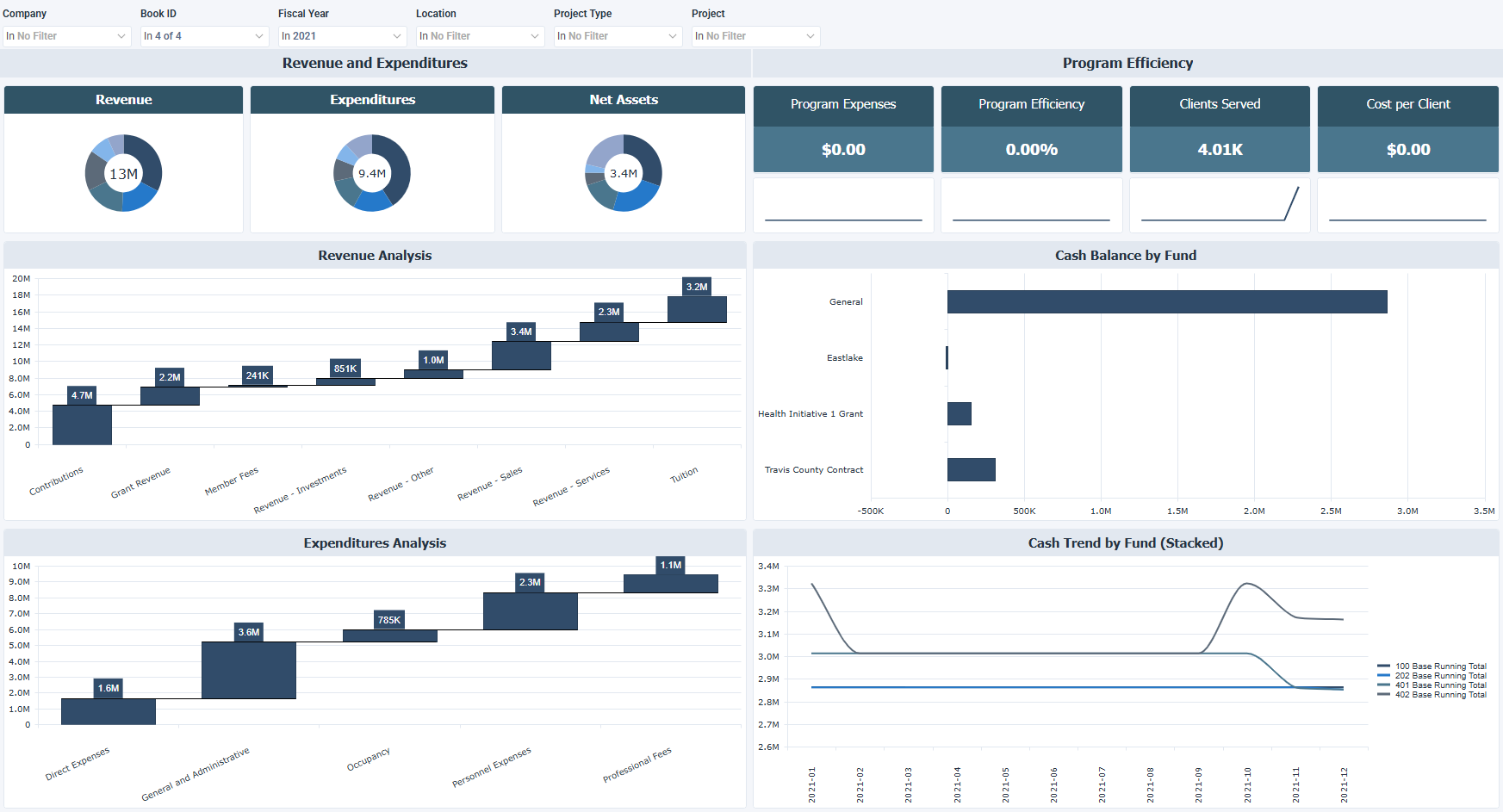
The CFO dashboard for Sage Intacct is designed for not-for-profit organizations and tracks revenue, expenditures, net assets, and cash trends by fund and program. It helps you control spending and support funding decisions.
How to use the CFO dashboard
- Compare revenue and expenditures by source to see where money comes from and where it goes.
- Review net assets to check overall financial position after liabilities.
- Break down revenue and expense drivers for contributions, grants, tuition, and cost categories.
- Monitor cash balances and trends by fund to track liquidity over time.
- Assess program efficiency and cost per client to see how effectively funds support programs.
Filters
Use the filtering panel at the top of the CFO dashboard to control which data is shown. The filters apply to all views and ensure the dashboard reflects the selections you choose.
Company: multiple values
Book ID: multiple values
Fiscal Year: multiple values
Location: multiple values
Project Type: multiple values
Project: multiple values
Key performance indicators (KPIs)
The key performance indicators (KPIs) are displayed at the top of the dashboard. They show program spending, efficiency, and cost per client, and update based on the filters you apply.
| KPI | What it measures |
|---|---|
| Program Expenses | Total amount spent on operational programs. |
| Program Efficiency | Percentage of expenses allocated directly to programs. |
| Clients Served | Total number of clients served. |
| Cost per Client | Average cost per client served. |
Visual components
| View name | Type of view | What it shows |
|---|---|---|
| Revenue | Doughnut | Shows total income by source. |
| Expenditures | Doughnut | Shows total expenses by category. |
| Net Assets | Doughnut | Shows net assets after liabilities. |
| Revenue Analysis | Waterfall | Breaks down revenue sources, such as contributions, grants, and tuition. |
| Cash Balance by Fund | Horizontal Bar | Shows cash balance by fund. |
| Expenditures Analysis | Waterfall | Breaks down expenses by category, such as direct expenses, administrative costs, and personnel expenses. |
| Cash Trend by Fund (Stacked) | Stacked Line | Shows running fund balances over time. |