Map Sage Intacct Project Accounts
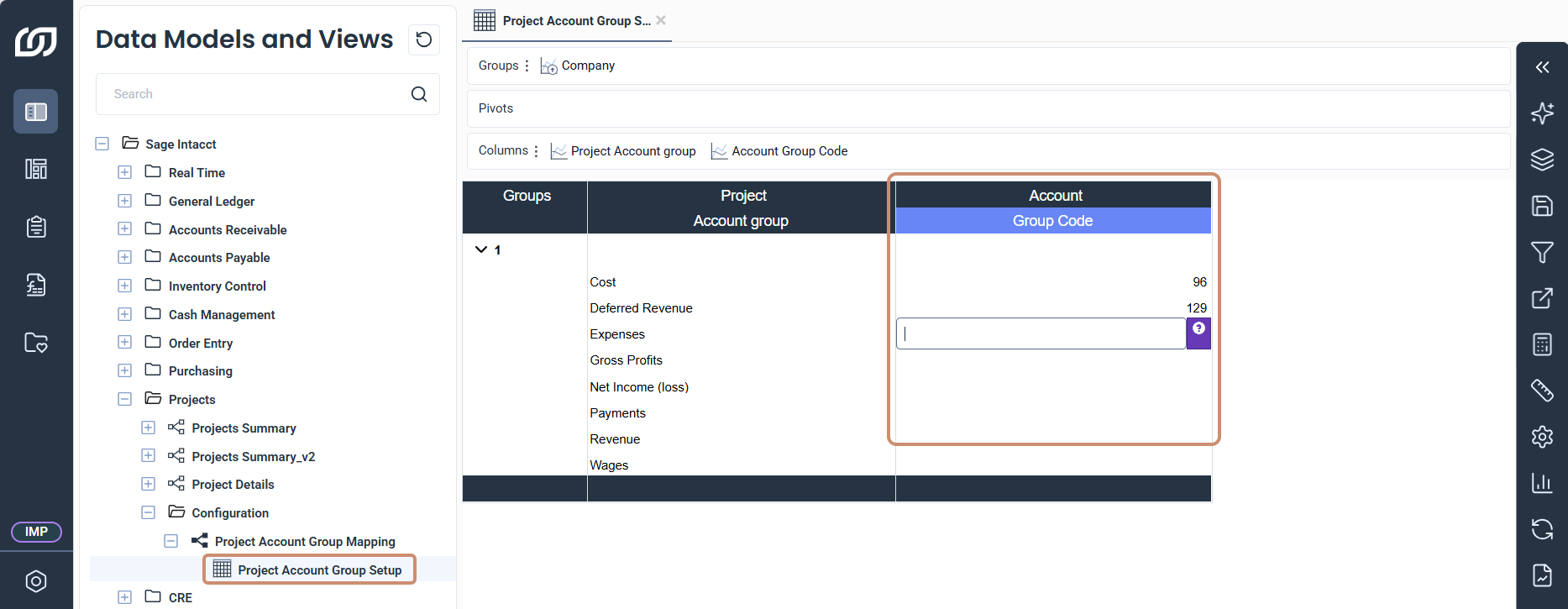
The Projects module maps your Sage Intacct accounts to project account categories, such as costs and revenues. SEI uses this mapping to report on costs, revenues, and profitability by project. Assign an account group to each project account category in the Project Account Group Setup worksheet.
Map project accounts to groups
- In SEI, select Data Models and Views from the navigation panel.
- Expand Sage Intacct, Projects, and Configuration.
- Expand Project Account Group Mapping and open the Project Account Group Setup worksheet.
- In the Group Code column, use the prompt icon of each cell to select the account group of each project account category.
- Click Save Changes in the toolbar on the right.