Calculate Sage Intacct Opening Balance
The opening balance is the balance of each account at the start of a fiscal year. The Calculate Opening Balance data model calculates it through an info page. Run it for every fiscal year you report on, so balances roll forward from one period to the next.
Generate the opening balance by fiscal year
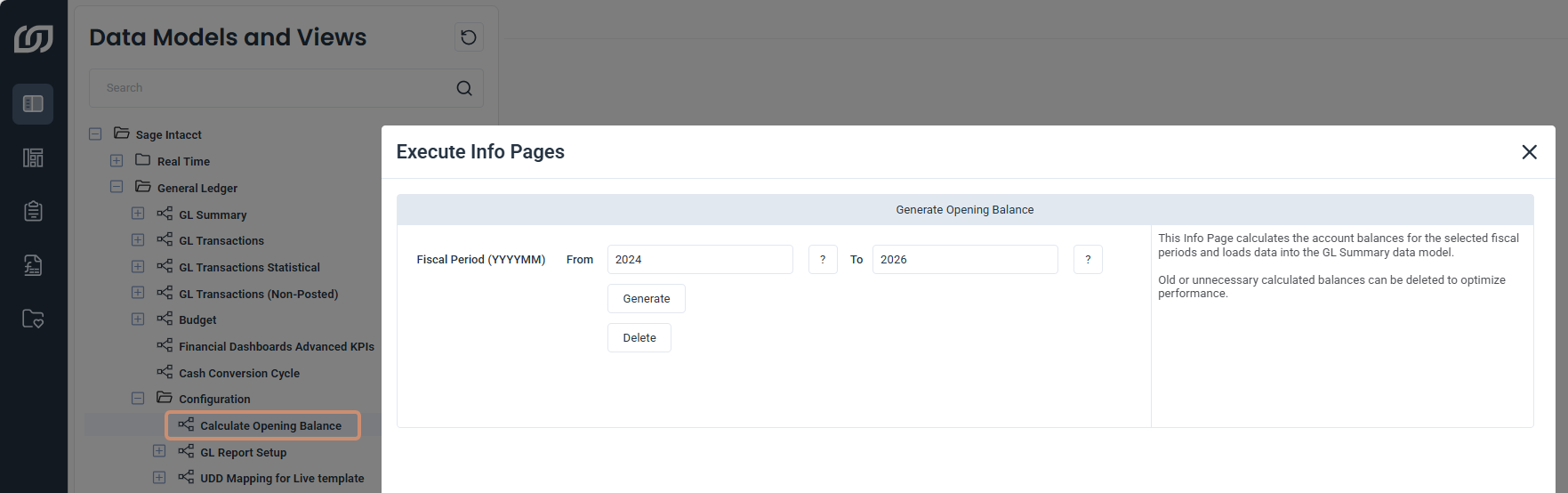
- In SEI, select Data Models and Views from the navigation panel.
- Expand Sage Intacct, General Ledger, and Configuration.
- Right-click Calculate Opening Balance and click Execute Info Pages.
- In From and To, enter the first and last fiscal years to calculate.
- Click Generate.