Build and Load the GL Summary Refresh Cube
The GL Summary data model holds summarized financial data that loads quickly in dashboards and management reports. This data does not update in real time, so build and load the GL Summary Refresh cube regularly to bring in the latest data.
Build the cube before the first load
- In SEI, click the gear icon, then select OLAP Manager in the sidebar.
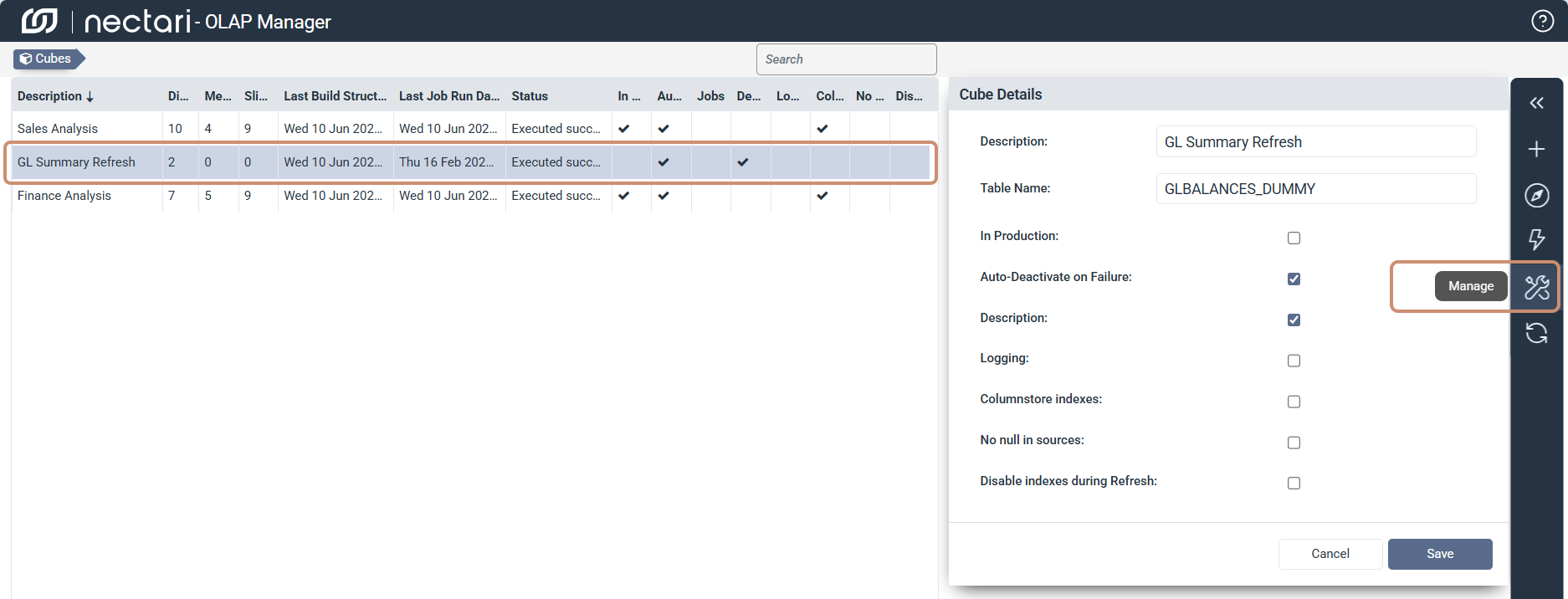
- Select the GL Summary Refresh cube and click Manage.
- In Action, select Build, then select the environment.
- Click Confirm.
- Select the checkbox that confirms all current cube data will be lost, then click Yes.
Load the cube to update the data
- Select the GL Summary Refresh cube again and click Manage.
- In Action, select Load All, then select the environment.
- Click Confirm, then click Yes in the confirmation dialog.