Set the Fiscal Year Global Variable
The @@FISCALYEAR_START_END global variable sets which year labels your fiscal year. SEI uses that year in fiscal period calculations, reports, cubes, and date filters. It applies when your fiscal year starts in one calendar year and ends in the next. Enter 1 to identify the fiscal year by its start year, or 2 by its end year.
If you enter 1, match the period variables @@CURPERIOD and @@LASTDAYPERIOD to the same value.
Configure the fiscal year variable
- In the navigation panel, click the gear icon to open the Administration section.
- Select Global Variables in the sidebar.
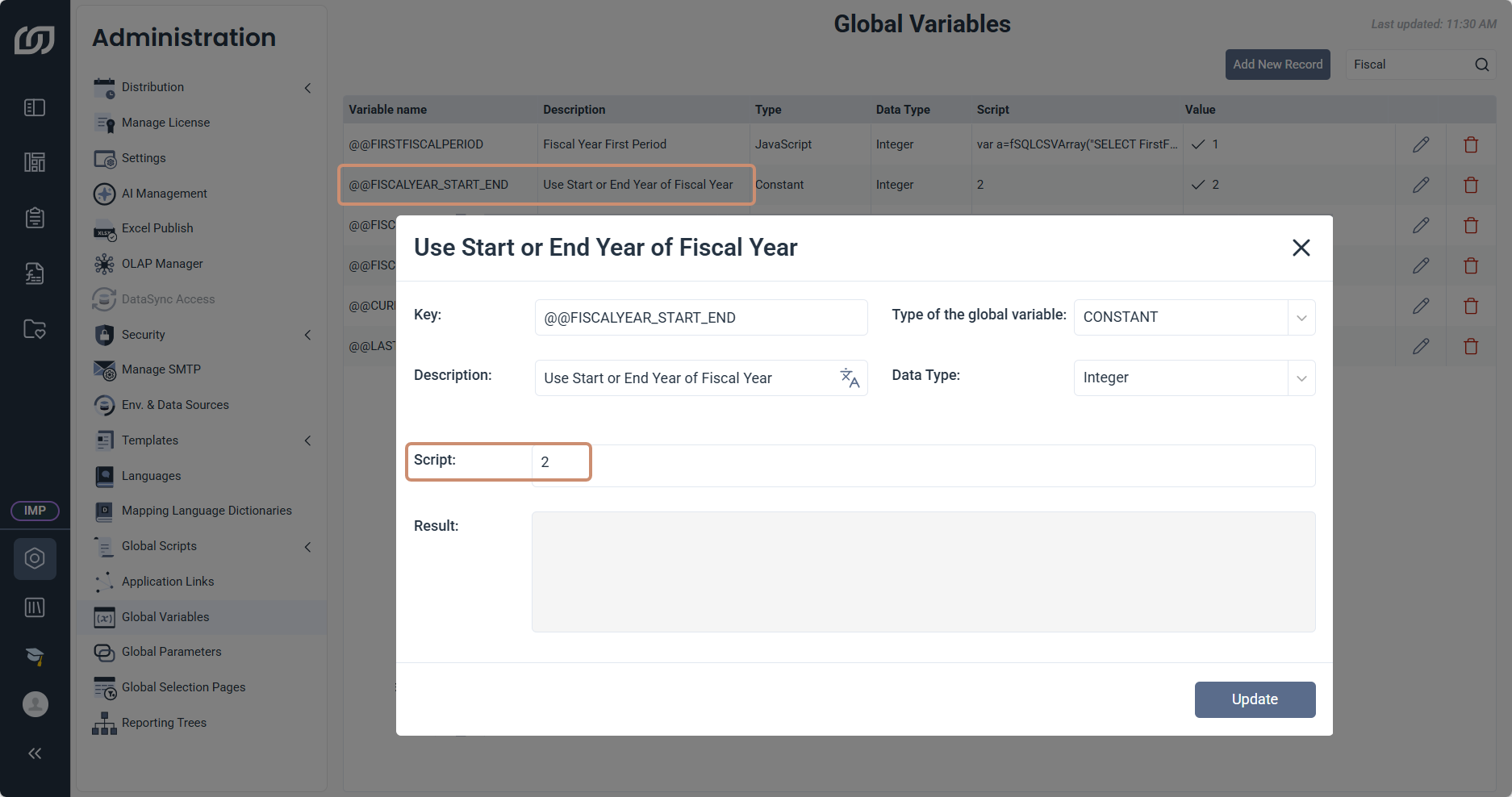
- Click the pen icon next to
@@FISCALYEAR_START_END. - In Script, enter
1for the start year or2for the end year. - Click Update.
Your fiscal year runs from May 2025 to April 2026, so it starts in one calendar year and ends in the next. The year that SEI uses to label this fiscal year in reports, cubes, and date filters depends on the value of @@FISCALYEAR_START_END.
| Value in Script | Year that identifies the fiscal year | Fiscal year shown |
|---|---|---|
1 | Start year, 2025 | Fiscal year 2025 |
2 | End year, 2026 | Fiscal year 2026 |
Match the period variables to the fiscal year setting
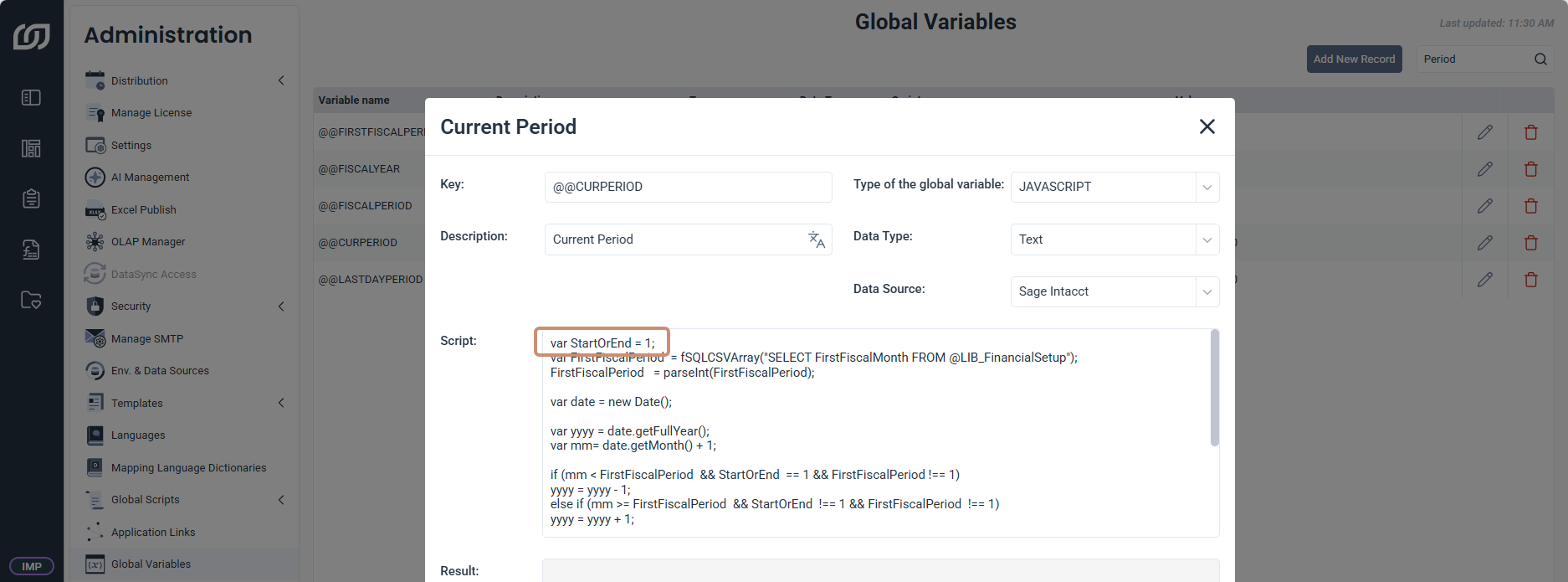
If you chose the start year, set StartOrEnd to 1 in the Script of @@CURPERIOD and @@LASTDAYPERIOD.
- In Global Variables, find
@@CURPERIODand click the pen icon. - In Script, set StartOrEnd to 1.
- Click Update.
- Repeat for
@@LASTDAYPERIOD.
var StartOrEnd = 1;
var FirstFiscalPeriod  = fSQLCSVArray("SELECT FirstFiscalMonth FROM @LIB_FinancialSetup");
FirstFiscalPeriod   = parseInt(FirstFiscalPeriod);
// The rest of the script stays unchanged