DataSync
DataSync is an ETL (Extract, Transform, Load) tool that copies data from several sources into one data warehouse. To do this, DataSync extracts the data from each source, transforms it into the format the data warehouse requires by using tables, and loads the result into the destination database.
Once the data is in the warehouse, SEI reads it from that single location instead of querying each system separately. This means your reports and analyses all use the same consolidated data. DataSync runs on the SEI cloud server, which processes the queries, and you can schedule extractions to run automatically.
- Install and configure DataSync on your server.
- Keep an active internet connection, so DataSync can reach the SEI license server.
- Register at least one user.
What DataSync does
- Consolidates data from different types of sources into one repository.
- Speeds up queries by processing them on the SEI cloud server.
- Runs recurring extractions on a schedule, so the data warehouse stays current without manual steps.
Modules in DataSync
DataSync is organized in modules. Once you open a module, use the left pane to move to another module without going back to the home page.
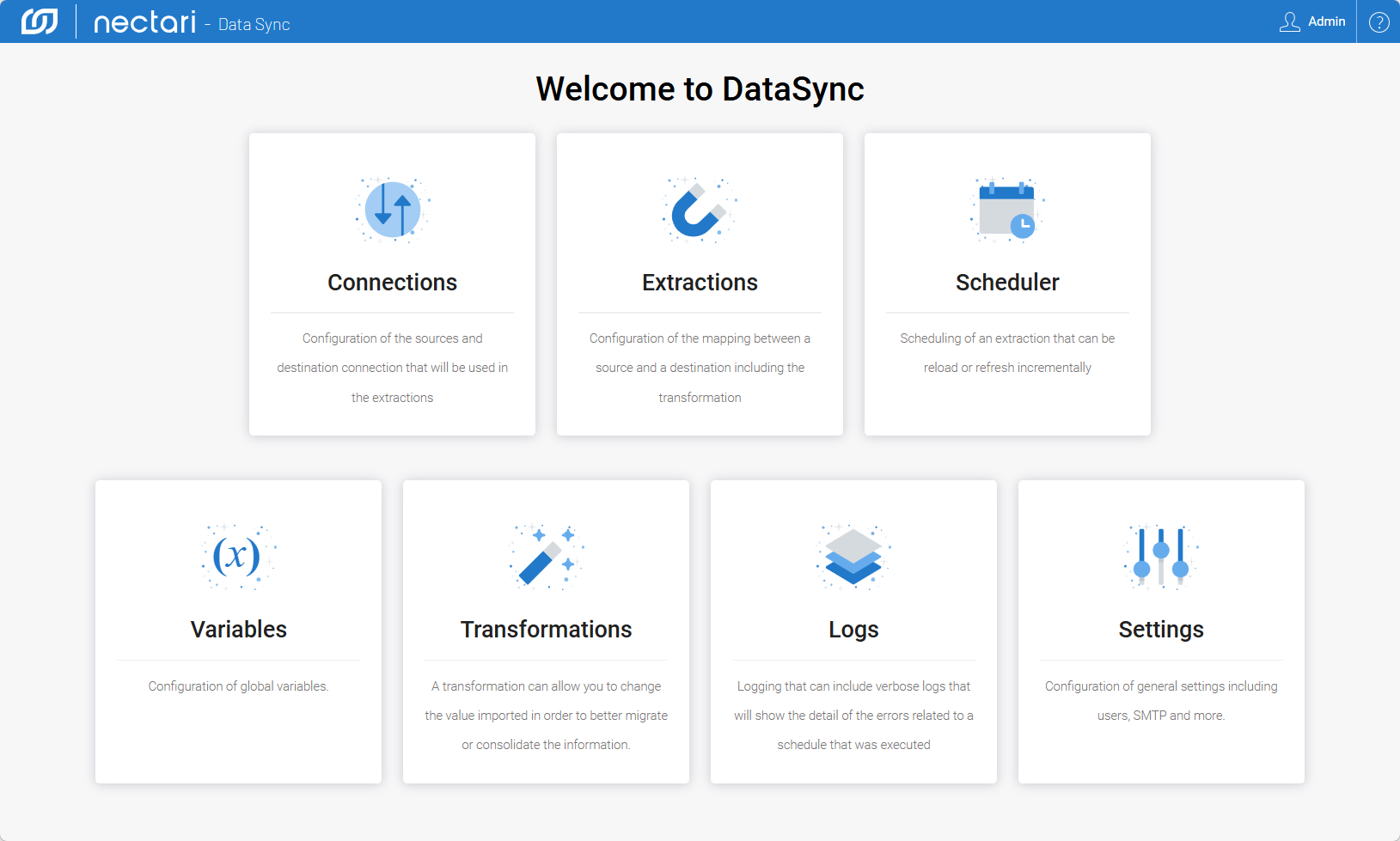
| Module | Use it to |
|---|---|
| Connections | Create and manage the source and destination connections that extractions use. |
| Extractions | Map a source to a destination, with optional transformations. |
| Scheduler | Schedule extractions to run automatically, as full reloads or incremental updates. |
| Variables | Create global variables that connections, extractions, and transformations share. |
| Transformations | Modify imported data before it loads, for migration, consolidation, or formatting. |
| Logs | Review the status and errors of scheduled and manual tasks. |
| Settings | Manage users, the SMTP server, and other application settings. |
Typical steps to set up and run an extraction
Follow these steps in order, or use the steps in the installation guide for your ERP template. This is a typical workflow, and it can differ from one setup to another. Some steps are required, and others are optional, such as creating variables, applying transformations, or exporting an existing extraction.
- Log in to DataSync.
- Add a source connection and a destination connection.
- Set up a synchronization or consolidation extraction and manage its tables.
- (Optional) Create indexes or add fields.
- Validate the configuration and build the extraction job.
- Schedule the extraction to run automatically.
- Run the extraction.
Open the Logs module to review the result of each run. If a run fails, the log shows the error details.