Manage License (2026)
The Manage License page is where you view and manage your license, track usage, active sessions, invoice history, and payment details, and keep everything up to date. Your server needs an active internet connection to validate your subscription.
You can buy more AI credits from this page, and if your environment is deployed on cloud, you can also manage Cloud Hosting. To access the page, Select the gear icon in the navigation panel on the left to open the Administration section, then select Manage License in the sidebar.
This page applies to the license model introduced in 2026. If you're on an older license, see Manage License (Old).
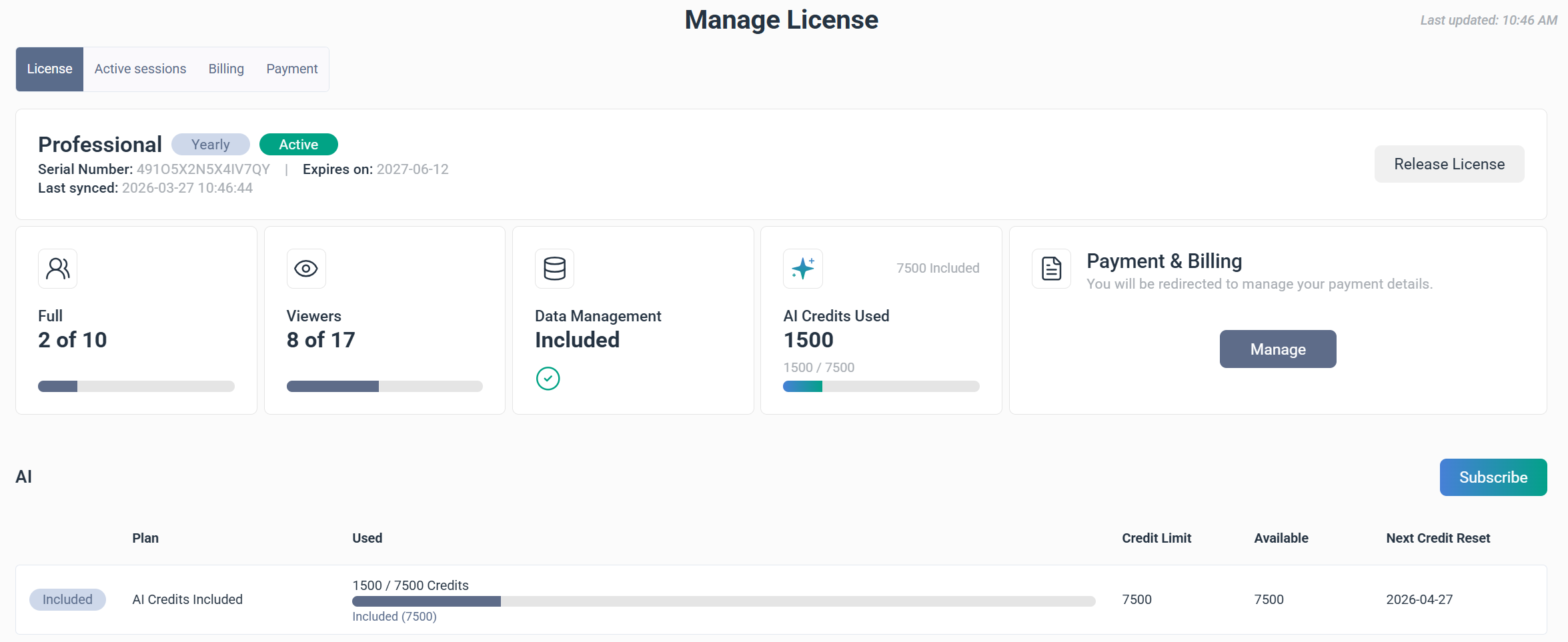
| Tab | Use it to |
|---|---|
| License | View your license type and usage, and manage AI credit subscriptions. |
| Active sessions | See who is currently logged in and what type of user they are. |
| Billing | View, search, and download your invoice history. |
| Payment | Add or update your saved payment method. |
License information
The License tab shows a full picture of the current license: what's included, how much is being used, and which plan is active. The license can be on the Essential or Professional model, billed monthly or yearly.
At the top, the Serial Number, the Last license sync timestamp, and the Expires on date are displayed.
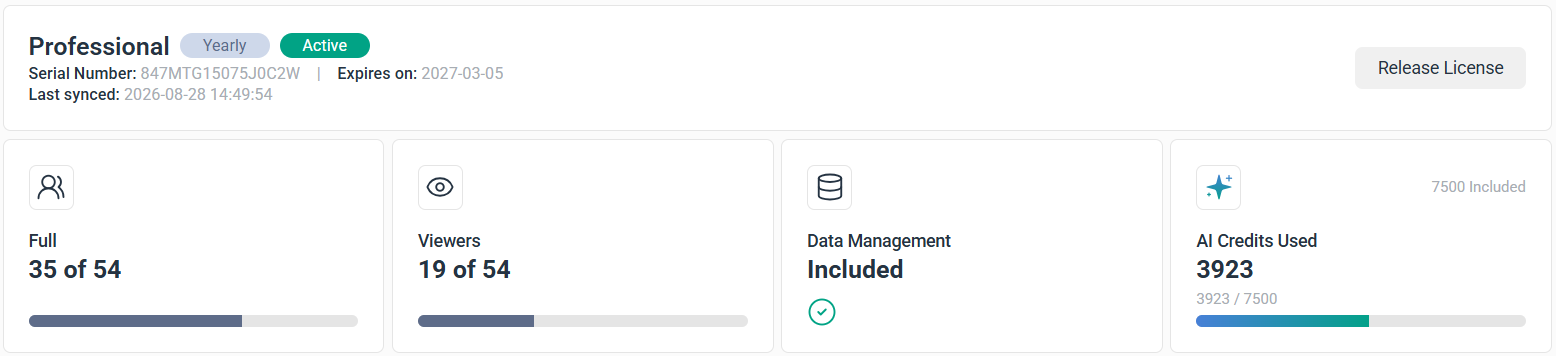
Four indicators summarize license usage:
- Full shows the total licensed full users, how many are in use, and how many remain.
- Viewers shows the total licensed viewer users, how many are in use, and how many remain.
- Data Management shows whether the add-on is included in the license.
- AI Credits Used compares credit usage for the current billing period against the total available credits.
Release a license
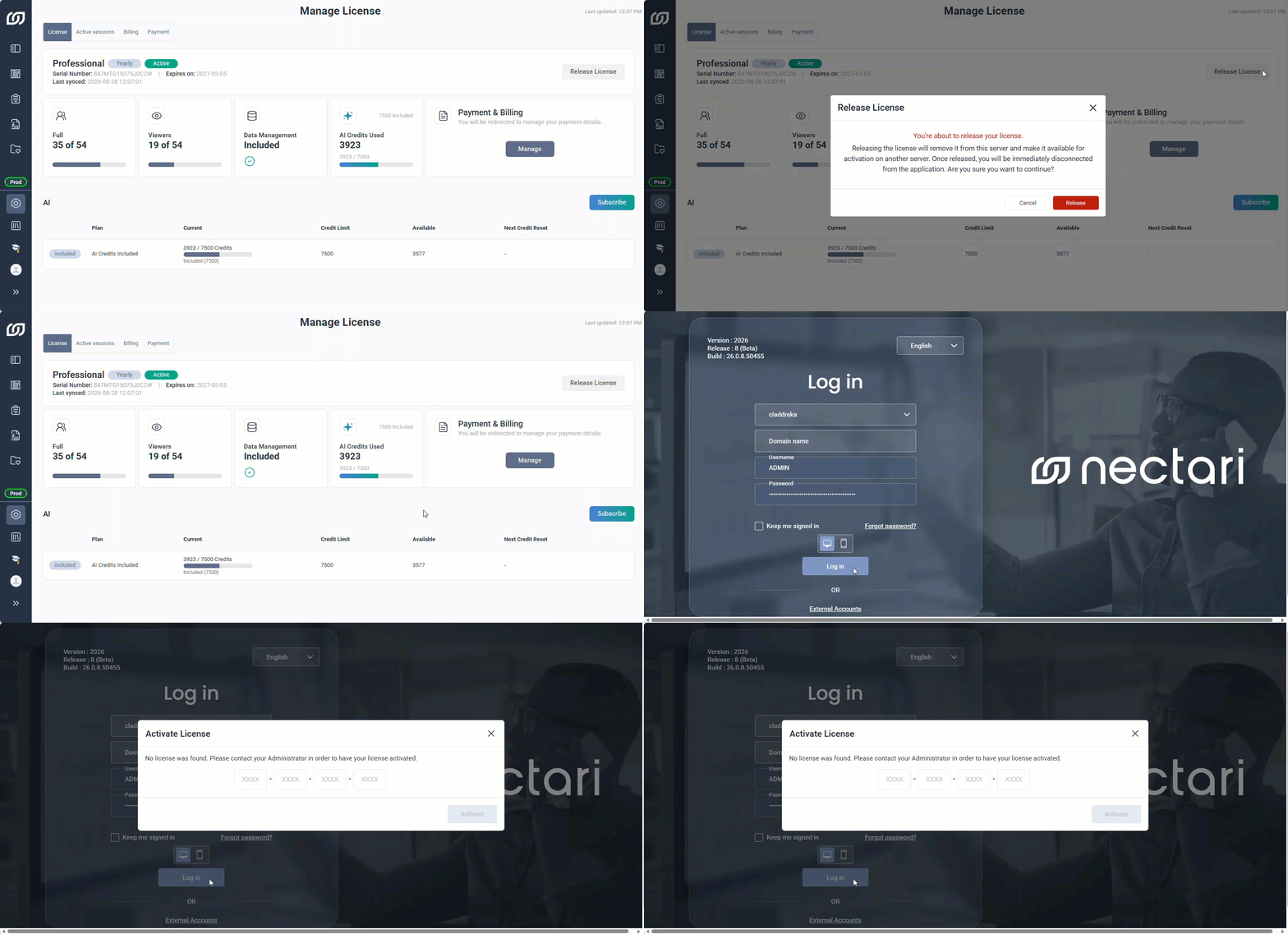
A license is tied to the server it's activated on, so Release License detaches it, making it available for activation on a different server. This can be done when decommissioning a server, migrating to a new environment, or reassigning the license elsewhere.
View active sessions
The Active sessions tab shows everyone currently logged in. A single user can have more than one active session open at the same time. For each session, you can see the ID, User Name, Last Accessed At timestamp, User Type, and the Module they are using.
The icons in the top-right corner of the tab show a live count of active sessions by user type. Hovering over an icon shows a breakdown, which helps monitor license allocation without opening the full session list.
| Active session icon | What it counts |
|---|---|
 | Total viewer users, how many are assigned, and which module they are on. |
 | Total full users, how many are assigned, and which module they are on. |
 | Total system managers and which module they are on. |
 | Total users currently active on the web. |
 | Total users currently active in the Excel Add-in. |
See invoice history
The Billing tab shows your invoice history for the past two years. Each invoice can be downloaded as a PDF by clicking Download next to it. If you want to access older invoices, contact support directly.
- Date is the date the invoice was issued.
- Invoice is the official invoice number.
- Subscription is the subscription linked to the invoice.
- Status indicates whether the invoice is Paid or Unpaid.
- Amount is the total amount billed.
- Download saves the invoice as a PDF.

Filter invoices
Filtering invoices by date is the fastest way to locate a specific invoice.
- Select a start and end date in the Period fields.
- Click Apply to filter the list.
Add or update your payment method
The Payment tab is where you add or update your payment method. Only one card can be saved at a time, and it can be updated at any point.
- Go to the Payment tab.
- Select the email language used for emails about the subscription.
- Enter your email, address and card information.
- Review the information entered.
- Click Confirm to save.
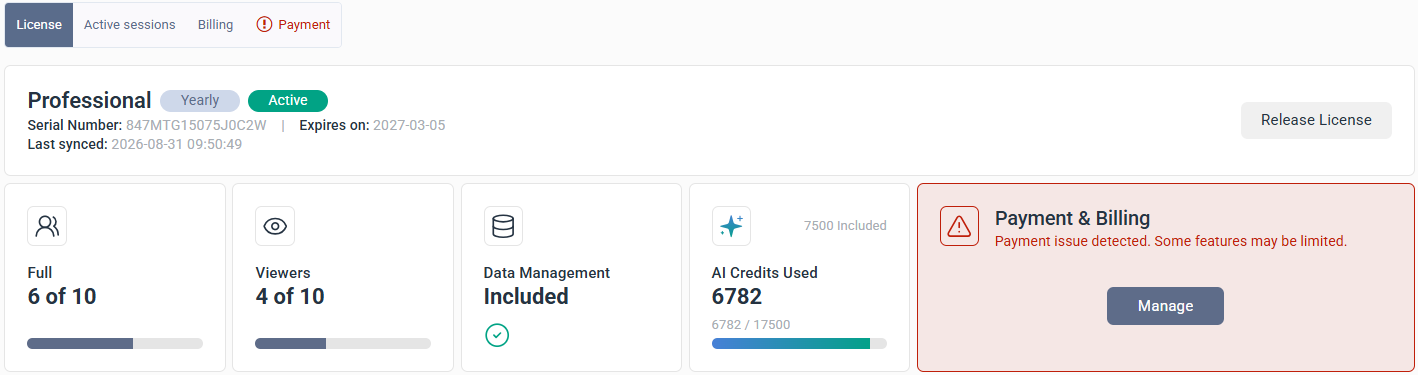
If there's a problem with the payment method, such as an expired card, insufficient funds, or a failed transaction, the Payment & Billing card turns red and shows the error message Payment issue detected. Some features may be limited. Resolving the payment issue quickly avoids interrupting the subscription.